Verify Extracted Data with Source Evidence
Turn extraction results into trusted data
Traceable
Click any extracted value and instantly locate the supporting evidence in the original source document with highlighted references.
Verifiable
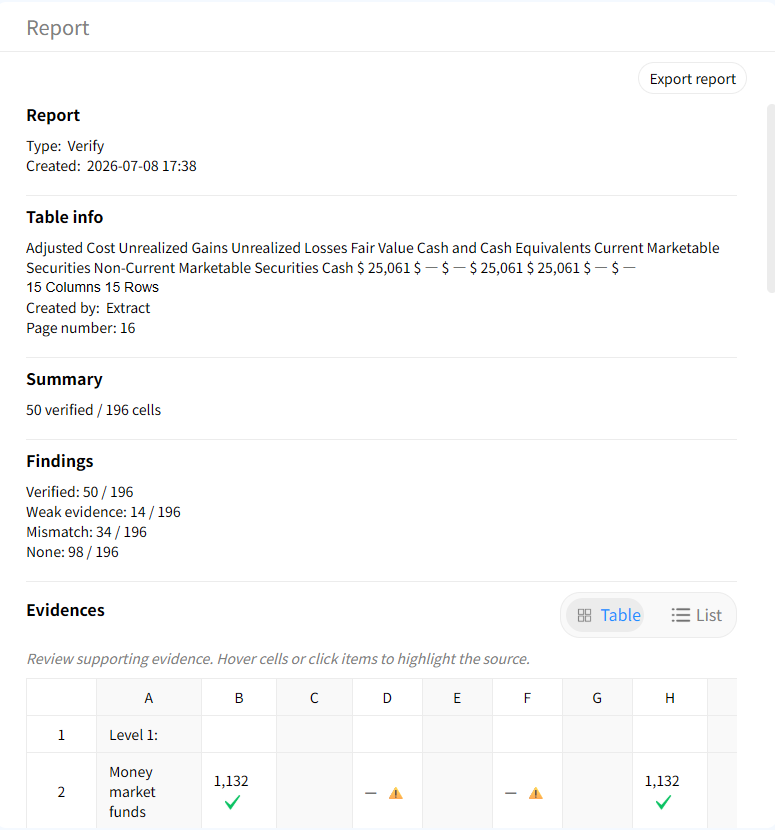
Generate a verification report showing verified values, missing evidence, mismatches, and confidence assessments.
Auditable
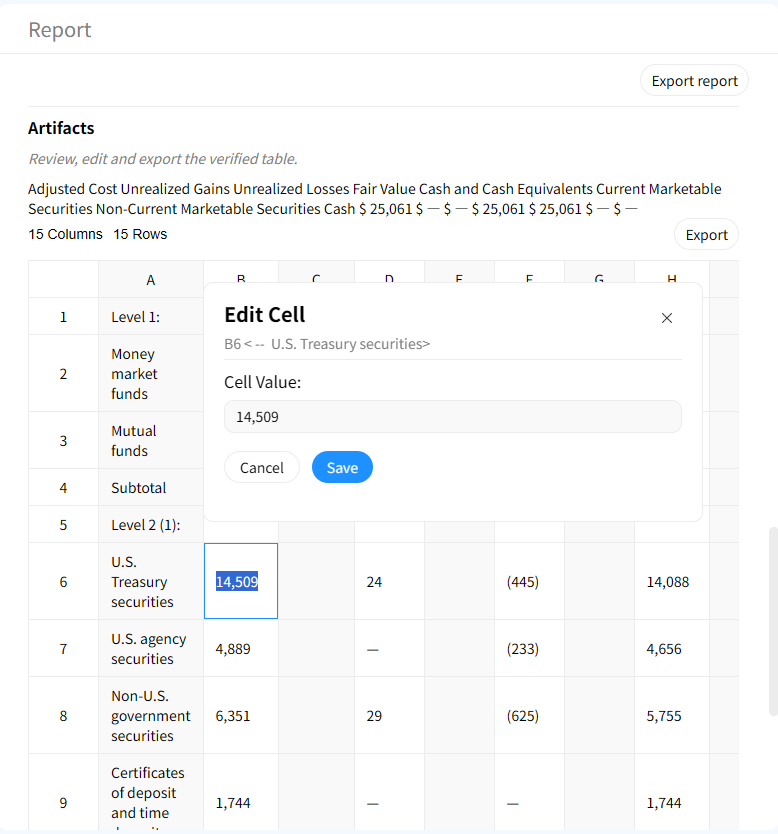
Review verification findings, repair incorrect values, and export a final trusted table for downstream use.
How to verify extracted data
1. Upload source documents
Import PDFs, images, or other files that contain the original data.
2. Review extracted results
Open the extracted results and inspect the structured results.
3. Generate verification report
Automatically compare extracted data against source documents and identify verified values, mismatches, unsupported fields, and missing evidence.
4. Trace evidence in the source
Click any value to jump to the exact highlighted location in the original document.
5. Review and fix issues
Use the Artifacts workspace to correct mismatches, reconcile values, and prepare the final dataset.
6. Export trusted data
Use the Artifacts workspace to correct mismatches, reconcile values, and prepare the final dataset.
Built for reliable data verification
Evidence-backed cell verification
Every extracted value can be linked to supporting evidence from the source document. No more guessing where data came from.

Interactive source highlighting
Jump directly from a table cell to the exact location in the source document where the value was found.

Audit-ready verification reports
Generate audit-ready reports that summarize verified values, discrepancies, unsupported fields, and potential extraction issues.
Human-in-the-loop correction
Review flagged issues, update incorrect values, and create a clean final dataset before exporting.
Why verification matters
Without verification
- × No proof of extracted values
- × Hard to audit AI output
- × Hidden extraction errors
- × Manual source checking required
With Gentables verification
- ✓ Every value traceable to source
- ✓ Automated verification reports
- ✓ Evidence-based auditing
- ✓ Correct before export
Common data verification workflows
Financial Data Extraction
• Verify extracted values from financial statements
• Audit numbers against source filings
• Reduce reporting and compliance risk
Compliance & Regulatory Review
• Validate extracted information from contracts and filings
• Maintain evidence trails for audits
• Produce review-ready reports
AI & Document Processing Teams
• Measure extraction quality
• Identify unsupported values
• Improve trust in AI-generated datasets
Data verification FAQs
Turn extracted data into trusted data