Turn Loss Run Documents into Actionable, Source-Verified Claim Summaries
Why AI-powered loss run analysis transforms underwriting and risk management
Source-Grounded Extraction
Every extracted field—claim number, incurred amount, reserve, status—is linked to the exact sentence or row in your original loss run document. Click any cell to see the source context—critical for underwriting audits and portfolio reviews.
Structured Table Ready for Analysis
Output is a clean table with columns: Claim Number, Loss Date, Claim Type, Incurred Amount, Paid Amount, Reserve, Status, and Cause of Loss. Sort, filter, and pivot for trend analysis. Export to Excel or CSV for actuarial modeling.
Automatic Aggregation & Summarization
AI automatically totals incurred, paid, and reserve amounts across all claims. Optionally group by claim type, cause, or status to spot patterns—saving hours of manual spreadsheet work.
How to analyze loss runs in 4 steps
1. Upload your loss run document
Upload loss run reports, claims bordereaux, or spreadsheets (Excel, CSV, PDF, or scanned images with OCR). You can also paste raw claims data directly.
2. AI extracts all claim records
Our AI detects each individual claim and extracts claim number, loss date, claim type, incurred, paid, reserve, status, and cause of loss—handling various formats and terminologies.
3. Review and verify every entry
The generated table displays each claim row with a 'source' button. Click it to highlight the original line in your document—ensuring full traceability for quality control.
4. Analyze, aggregate, and export
Use built-in sorting, filtering, and summarization. Export as Excel, CSV, or directly integrate with underwriting systems for portfolio analysis.
Built for accuracy, transparency, and speed in claims portfolio analysis
Extract from messy loss run formats
Handles varying layouts, abbreviations, and currency formats. AI reliably extracts each claim record even from inconsistent or poorly structured reports.
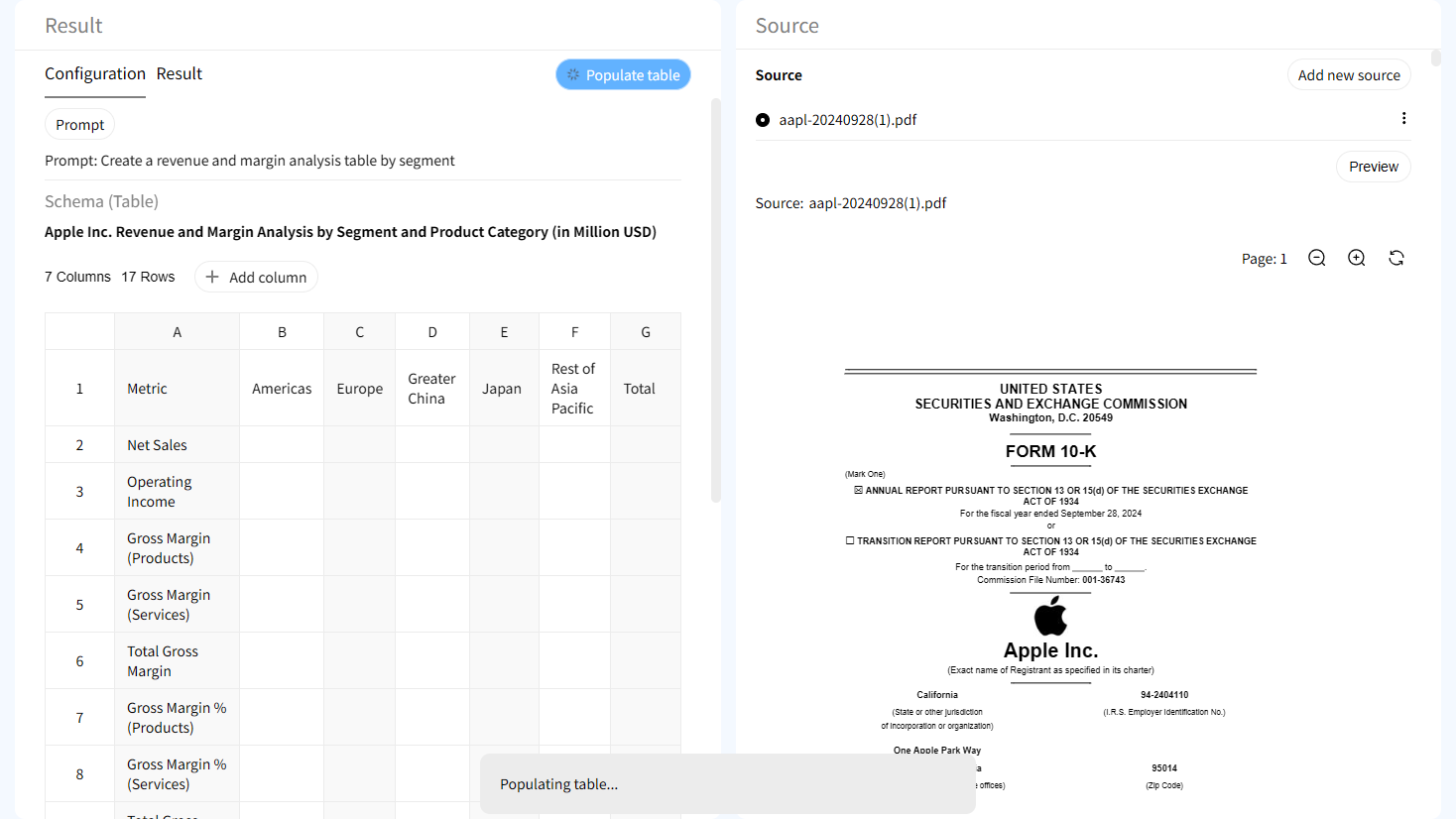
Source verification at the cell level
Each claim field—from loss date to incurred amount—can be traced back to the original text. Disagree with an extraction? See the exact words that triggered it.

Interactive highlighting in source document
Click any table cell and instantly jump to the corresponding row in your loss run document—perfect for audits, broker reviews, and claims validation.

Human-in-the-loop refinement
AI suggests data, but you remain in control. Edit claim details, merge duplicates, or correct misclassified fields before finalizing the analysis.
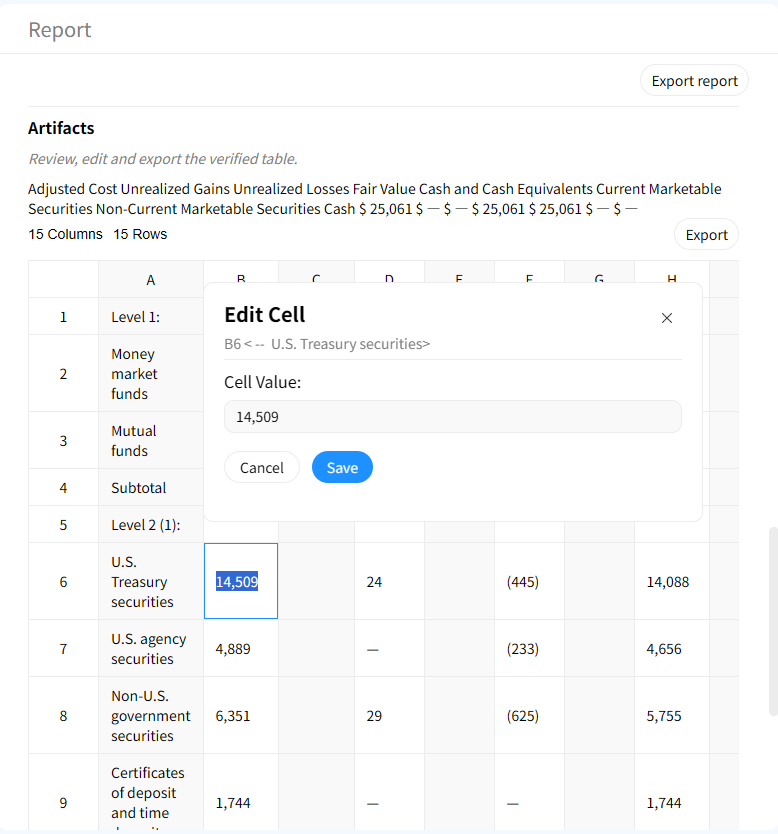
AI Loss Run Analysis vs Manual Claims Review
Manual Review
- • Hours of reading spreadsheets and reports
- • Prone to missed claims or calculation errors
- • No traceability to source
- • Time-consuming aggregation and totaling
Gentables AI Loss Run Analyzer
- ✓ Analysis completed in minutes
- ✓ Captures every claim accurately
- ✓ Source-grounded verification
- ✓ Automatic totals and summarization
Who benefits from AI-powered loss run analysis?
Underwriters & Risk Analysts
• Quickly assess claims history for pricing
• Identify loss trends and frequency
• Validate accuracy of reported data
Claims Managers & Adjusters
• Review claim portfolios efficiently
• Monitor reserve adequacy
• Spot anomalies or unreported claims
Actuaries & Portfolio Managers
• Aggregate data for loss modeling
• Analyze severity and frequency distributions
• Support reserve setting and capital allocation
Frequently Asked Questions about AI Loss Run Analysis
Stop manually parsing loss runs. Analyze with confidence.