Turn Your Email Inbox into a Source-Verified Task Table
Why AI-powered email task tracking transforms inbox productivity
Source-Grounded Extraction
Every extracted task is linked to the exact sentence in your email. Click any task to see the original email context—never wonder where a task came from or what was promised.
Automatic Owner & Deadline Detection
AI identifies who is responsible and when tasks are due, even when buried in long email threads (e.g., 'Sarah, please send the report by Friday').
Structured Data Table Ready for Action
Output is a clean data table with columns: Task, Owner, Deadline, Priority, Status, and Source Reference. Export to Excel, CSV, or directly to project management tools.
How to turn emails into a task tracker in 4 steps
1. Upload your emails
Upload .eml, .msg files, or forward emails directly. Supports Gmail, Outlook, and any standard email format. You can also paste email text.
2. AI scans for task language
Our AI detects commitments, requests, and deadlines from phrases like 'can you…', 'please send…', 'I will…', 'by tomorrow', and assigns owners automatically.
3. Review and verify each task
Each task shows a 'source' button—click it to highlight the exact sentence in the original email, ensuring you can confirm the request and context.
4. Customize and export
Add priority tags, edit owners, merge duplicates, or change deadlines interactively. Then export as Excel, CSV, or sync with Jira/Asana/Trello.
Built for inbox accountability and follow-through
Task extraction from messy email threads
Handles long email chains, quoted replies, and informal language. AI reliably extracts tasks even from complex conversations.
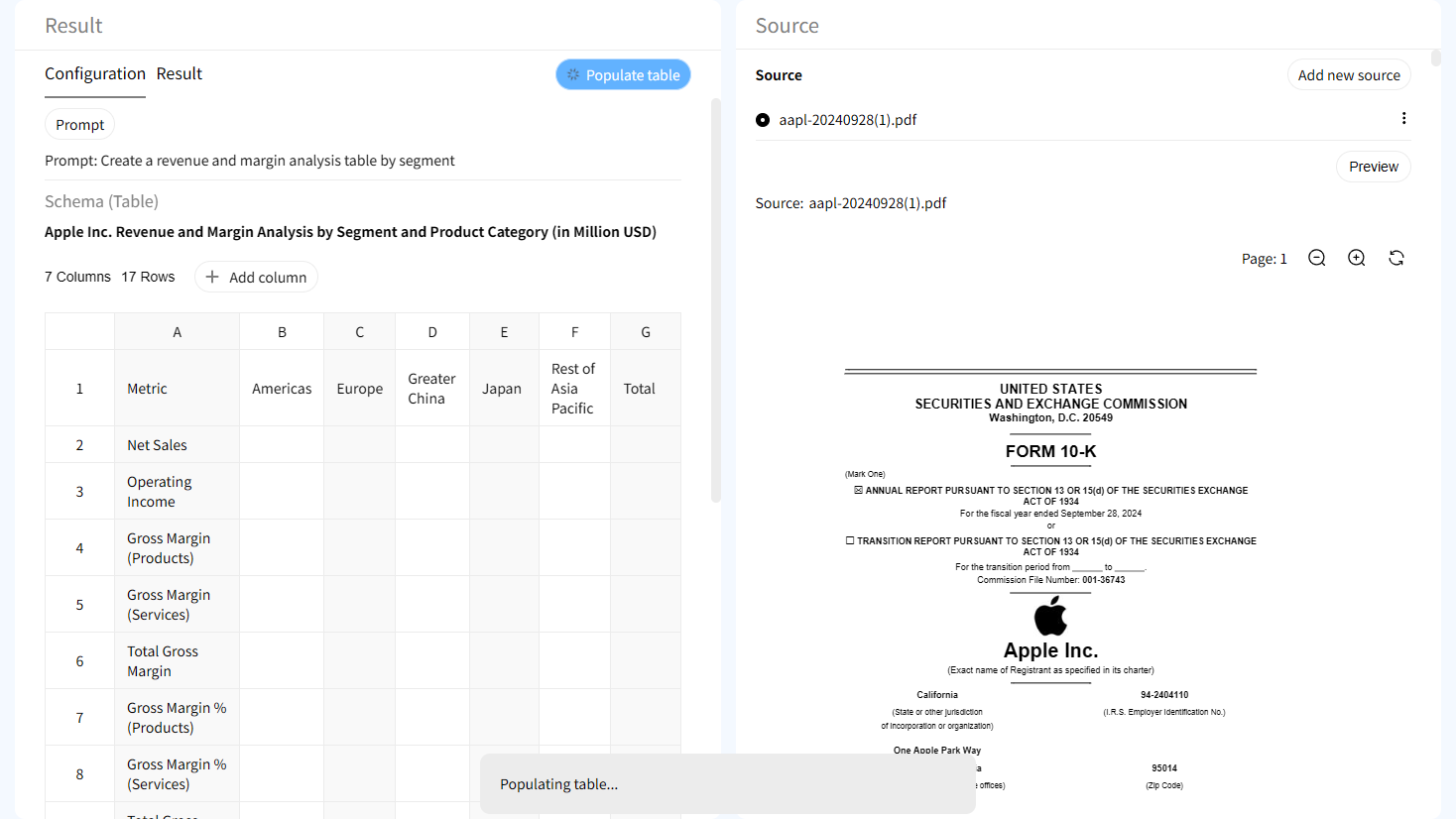
Source verification at the cell level
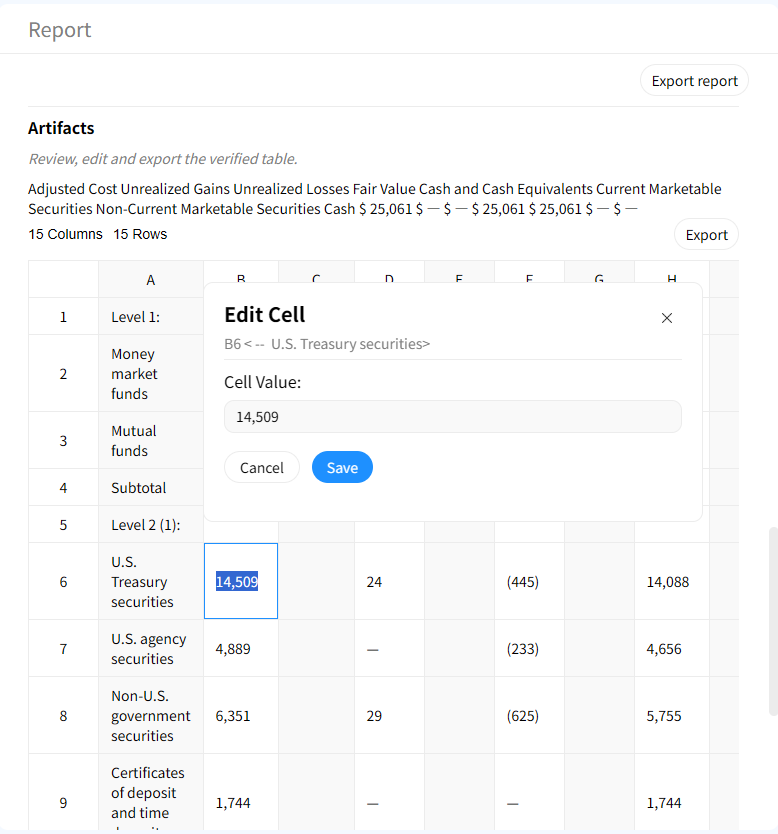
Each task, owner, and deadline can be traced back to the exact email snippet. Disagree with an assignment? See the original request.

Interactive highlighting in email source
Click any table cell and instantly jump to the corresponding sentence in the email—perfect for clarifying ambiguous requests.

Human-in-the-loop refinement
AI suggests tasks, but you remain in control. Add custom columns, merge duplicate tasks, or reassign owners before finalizing.
AI Email Task Tracker vs Manual Inbox Scrolling
Manual Email Scrolling & Tracking
- • Hours of reading through threads
- • Prone to missed tasks and deadlines
- • No traceability back to email
- • Scattered sticky notes or spreadsheets
Gentables AI Email Task Tracker
- ✓ Tasks extracted in minutes
- ✓ Captures every request and commitment
- ✓ Source-grounded verification
- ✓ Central, export-ready task list
Who benefits from AI-extracted email tasks?
Busy Professionals & Executives
• Convert client requests into tasks
• Never miss a follow-up again
• Delegate with confidence
Project Managers & Team Leads
• Track action items from project emails
• Ensure team accountability
• Centralize distributed requests
Customer Support & Sales Teams
• Turn customer inquiries into action plans
• Track commitments made in emails
• Improve response times and follow-through
Legal & Compliance Teams
• Maintain audit trails of email commitments
• Verify instructions and approvals
• Ensure regulatory adherence
Frequently Asked Questions about Email Task Tracker
Stop losing tasks in your inbox. Extract them now.