Populate Excel Templates with AI from Documents
Fill Excel templates with trusted document data
Populate
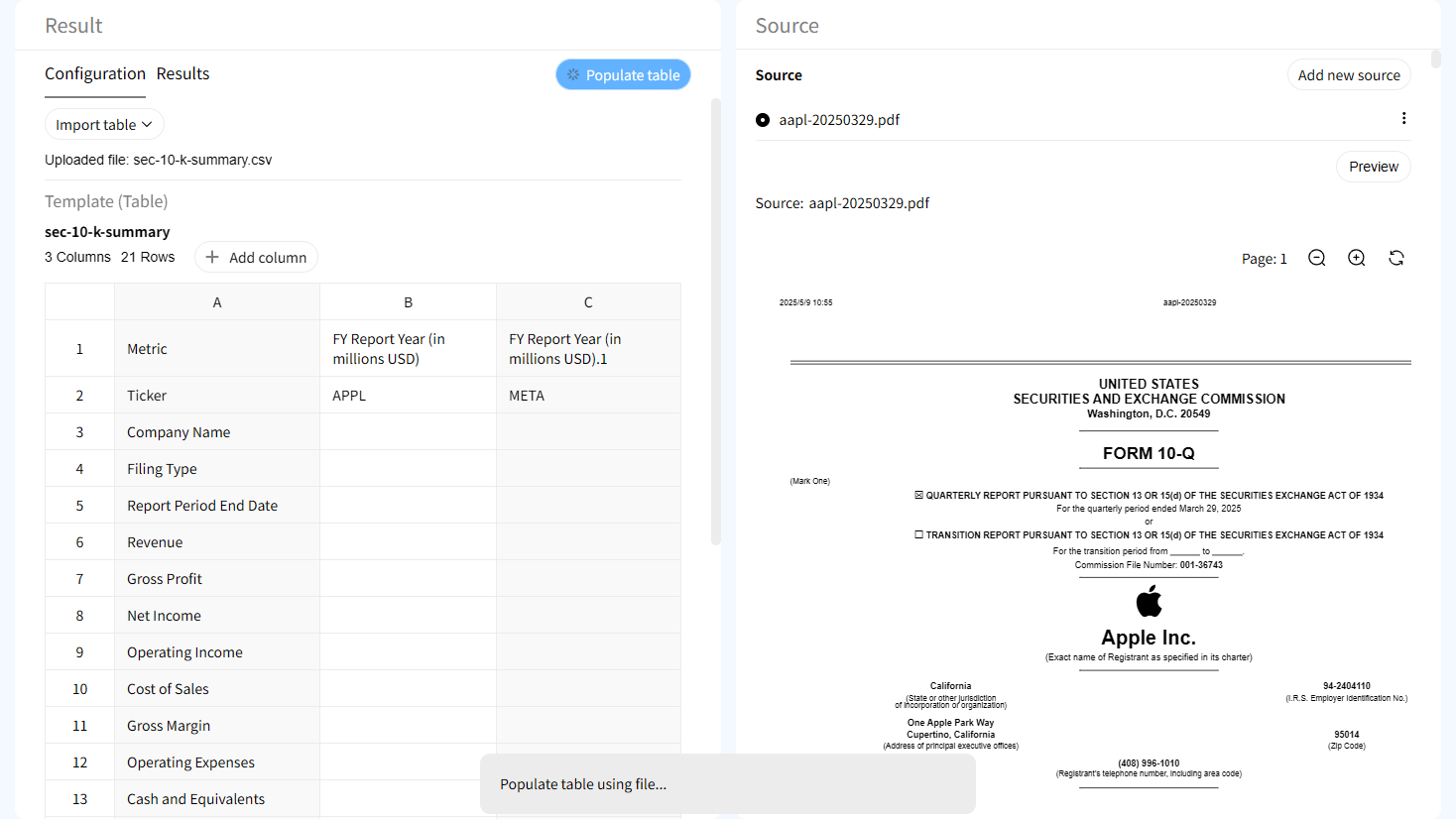
Upload an existing Excel template and let AI automatically identify fields, extract relevant information from documents, and fill the required cells.
Source-Verified
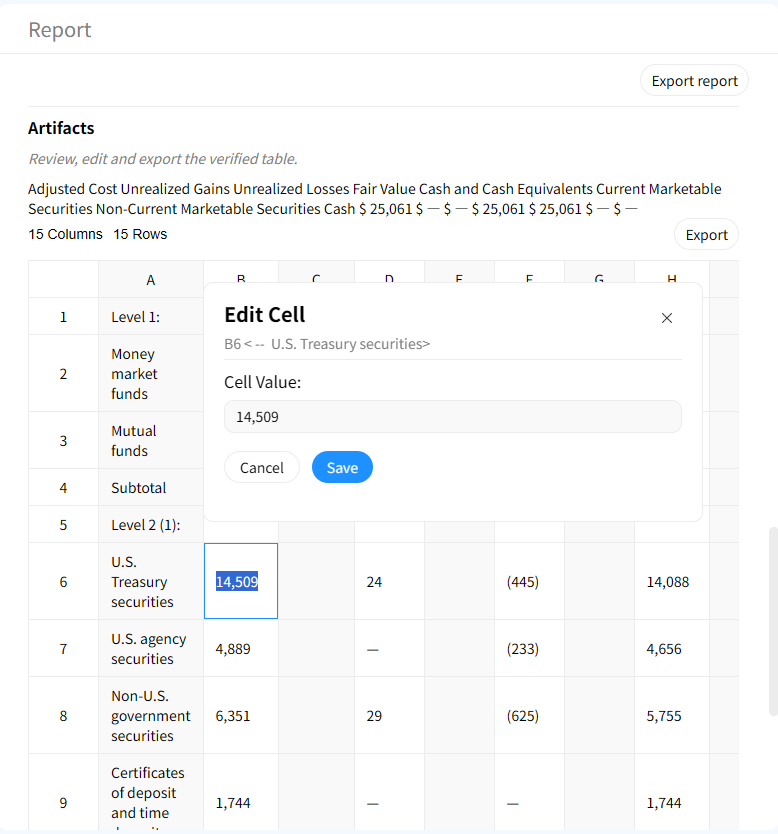
Every populated value is backed by source evidence from the original document, allowing users to verify where each cell value came from.
Traceable
Maintain a complete evidence trail with cell-level citations, source references, and document context for every populated spreadsheet field.
How to populate Excel templates with AI
1. Upload your Excel template
Upload an existing spreadsheet template with predefined columns, fields, or analysis structures that need to be completed.
2. Upload source documents
Add PDFs, reports, filings, forms, or business documents containing the information needed to populate your spreadsheet.
3. Map documents to template fields
AI understands the template structure and identifies relevant information from your documents to populate matching spreadsheet cells.
4. Generate populated spreadsheet
Automatically fill template fields with structured data while preserving your original spreadsheet format and organization.
5. Verify populated values
Review source evidence behind each populated cell and confirm that spreadsheet data matches the original documents.
6. Export completed template
Download your completed spreadsheet or continue reviewing and refining the populated data in the workspace.
Built for source-grounded spreadsheet population
AI-powered Excel template filling
Automatically populate spreadsheets from documents without manually searching, copying, and pasting information into each field.
Source evidence attached to every value
Each generated data point can be traced back to supporting evidence in the original document, providing transparent and explainable financial analysis.

Interactive source highlighting
Jump directly from a table cell to the exact location in the source document where the value was found.

Document-to-spreadsheet automation
Convert information from PDFs, reports, forms, and business documents directly into structured spreadsheet fields.
Why source-verified Excel population matters
Traditional spreadsheet workflows
- × Manual copy and paste from documents
- × Time-consuming template completion
- × Difficult to verify spreadsheet values
- × No clear source history
With Gentables
- ✓ Automatically populate templates with AI
- ✓ Fill cells from source documents
- ✓ Verify values with source evidence
- ✓ Maintain complete data traceability
Common Excel template population workflows
Financial Models
• Populate financial models from annual reports and filings
• Fill KPI and valuation spreadsheets
• Verify financial metrics with source evidence
Due Diligence Templates
• Complete investment review spreadsheets
• Populate company research templates
• Maintain evidence trails for analysis
Business Operations
• Fill reporting templates automatically
• Convert operational documents into spreadsheets
• Reduce manual spreadsheet data entry
Excel template population FAQs
Populate Excel templates with AI