Turn Any Notes into a Source-Verified Task Table
Why AI-powered notes task tracking transforms personal and team productivity
Source-Grounded Extraction
Every extracted task is linked to the exact sentence or paragraph in your note. Click any task to see the original note snippet—so you always recall why and where the task came from.
Automatic Owner & Deadline Detection
AI detects responsible parties and due dates even in informal note-taking style (e.g., 'Ask Sarah to draft by Monday', 'I need to finish this by EOW').
Structured Data Table Ready for Action
Output is a clean data table with columns: Task, Owner, Deadline, Priority, Status, Source Reference. Export to Excel, CSV, or sync with task management tools.
How to turn your notes into a task tracker in 4 steps
1. Upload your notes
Upload note files (txt, md, docx, pdf), export from OneNote/Evernote, or paste raw text. We also support image uploads with OCR for handwritten notes.
2. AI scans for task language
Our AI detects commitments, reminders, and action-oriented phrases like 'need to', 'don't forget', 'follow up', 'assign to', and extracts them as structured tasks.
3. Review and verify each task
Each task shows a 'source' button—click it to highlight the exact sentence in your original notes, ensuring you can confirm the context and intent.
4. Customize and export
Add priority tags, edit owners, merge duplicates, or adjust deadlines interactively. Then export as Excel, CSV, or integrate with Todoist, Trello, Asana.
Built for clarity and follow-through across all your notes
Task extraction from messy, unstructured notes
Handles bullet points, outlines, free-form text, and even handwritten OCR. AI reliably finds tasks amidst ideas, summaries, and to-dos.
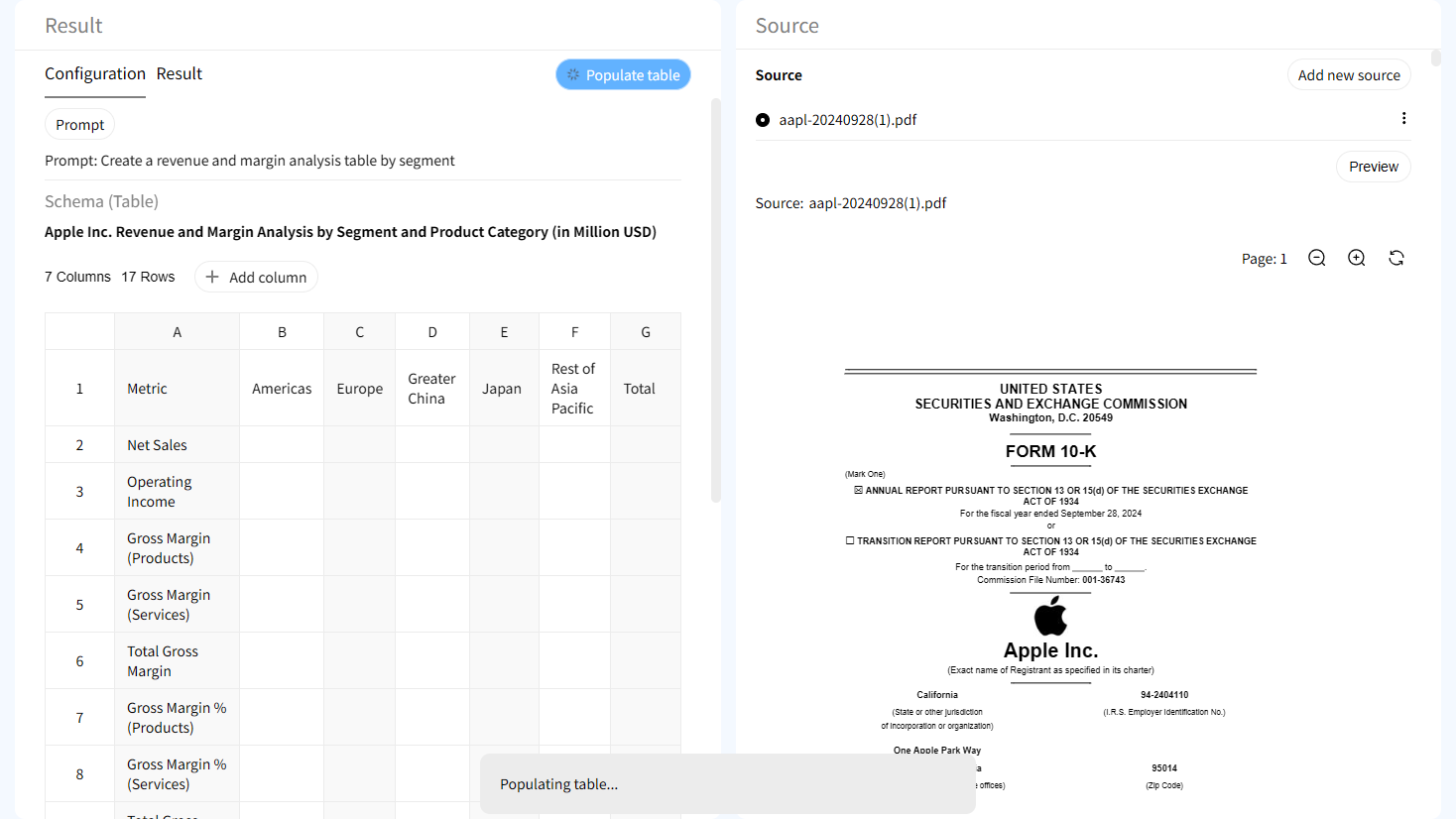
Source verification at the cell level
Each task, owner, and deadline can be traced back to the exact note snippet. Clarify ambiguous tasks by seeing the original phrasing.

Interactive highlighting in note source
Click any table cell and instantly jump to the corresponding section in your note—perfect for reviewing context or expanding on an idea.

Human-in-the-loop refinement
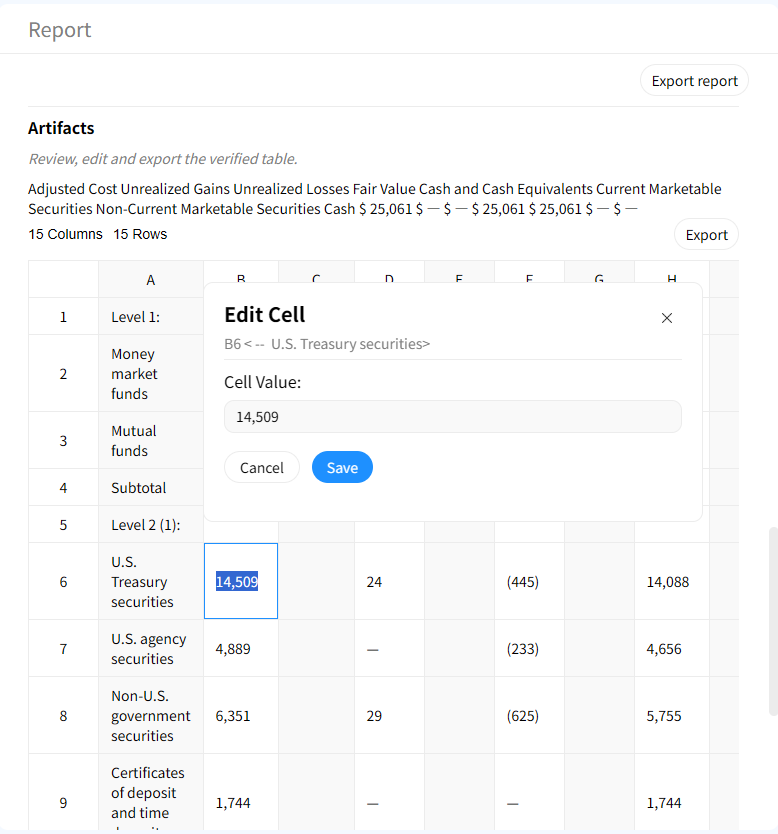
AI suggests tasks, but you remain in control. Add custom columns, merge duplicates, or reassign owners before finalizing.
AI Notes Task Tracker vs Manual Note Review
Manual Note Scrolling & Task Listing
- • Hours of re-reading notes to find tasks
- • Missed commitments buried in long notes
- • No traceability back to original note
- • Disconnected to-do lists
Gentables AI Notes Task Tracker
- ✓ Tasks extracted in minutes
- ✓ Captures every actionable item in notes
- ✓ Source-grounded verification
- ✓ Central, export-ready task list
Who benefits from AI-extracted notes tasks?
Students & Researchers
• Extract action items from lecture notes
• Track research next steps from literature notes
• Turn study notes into revision tasks
Writers & Creatives
• Convert idea notes into actionable writing tasks
• Track feedback and revisions from critique notes
• Manage project milestones from brainstorming notes
Product Managers & Strategists
• Mine product discovery notes for next features
• Track customer feedback tasks from meeting notes
• Ensure alignment between strategy notes and execution
Knowledge Workers & Personal Organizers
• Turn daily journal entries into to-dos
• Extract tasks from book notes and learning logs
• Never lose a great idea that needs action
Frequently Asked Questions about Notes Task Tracker
Don't let valuable tasks stay buried in your notes. Extract them now.