Turn Any Transcript into Actionable, Source-Verified Task Tables
Why AI-powered action extraction transforms transcript-based workflows
Source-Grounded Extraction
Every extracted task is linked to the exact sentence or timestamp in your transcript. Click any action to hear or read the original context—ensuring decisions are never taken out of context.
Automatic Owner & Deadline Detection
AI detects responsible parties and due dates even from conversational language (e.g., 'Sarah will send it by Monday'). Works across diverse transcript types—meetings, interviews, voice memos.
Structured Data Table Ready for Action
Output is a clean table with columns: Action Item, Owner, Deadline, Priority, Status, and Source Reference (timestamp or text snippet). Export to Excel, CSV, or project management tools.
How to generate action item tables from transcripts in 4 steps
1. Upload your transcript file
Upload plain text transcripts, subtitle files (SRT/VTT), or audio/video files (auto-transcribed). Works with meeting recordings, lecture captures, interview audios, and more.
2. AI scans for action language
Our AI detects commitments, assignments, and deadlines from conversational cues like 'I will…', 'we need to…', 'assigned to…', and temporal references.
3. Review and verify each action
Each action displays a 'source' button—click it to highlight the original transcript segment or jump to the timestamp, ensuring full auditability.
4. Customize and export
Add priority tags, edit owners, merge duplicates, or adjust deadlines interactively. Then export as Excel, CSV, or integrate with tools like Jira, Asana, or Trello.
Built for transparency and accountability across all spoken content
Action extraction from messy, conversational transcripts
Handles fragmented speech, overlapping voices, and informal language. AI reliably extracts clear tasks from raw transcripts, even with low-quality audio.
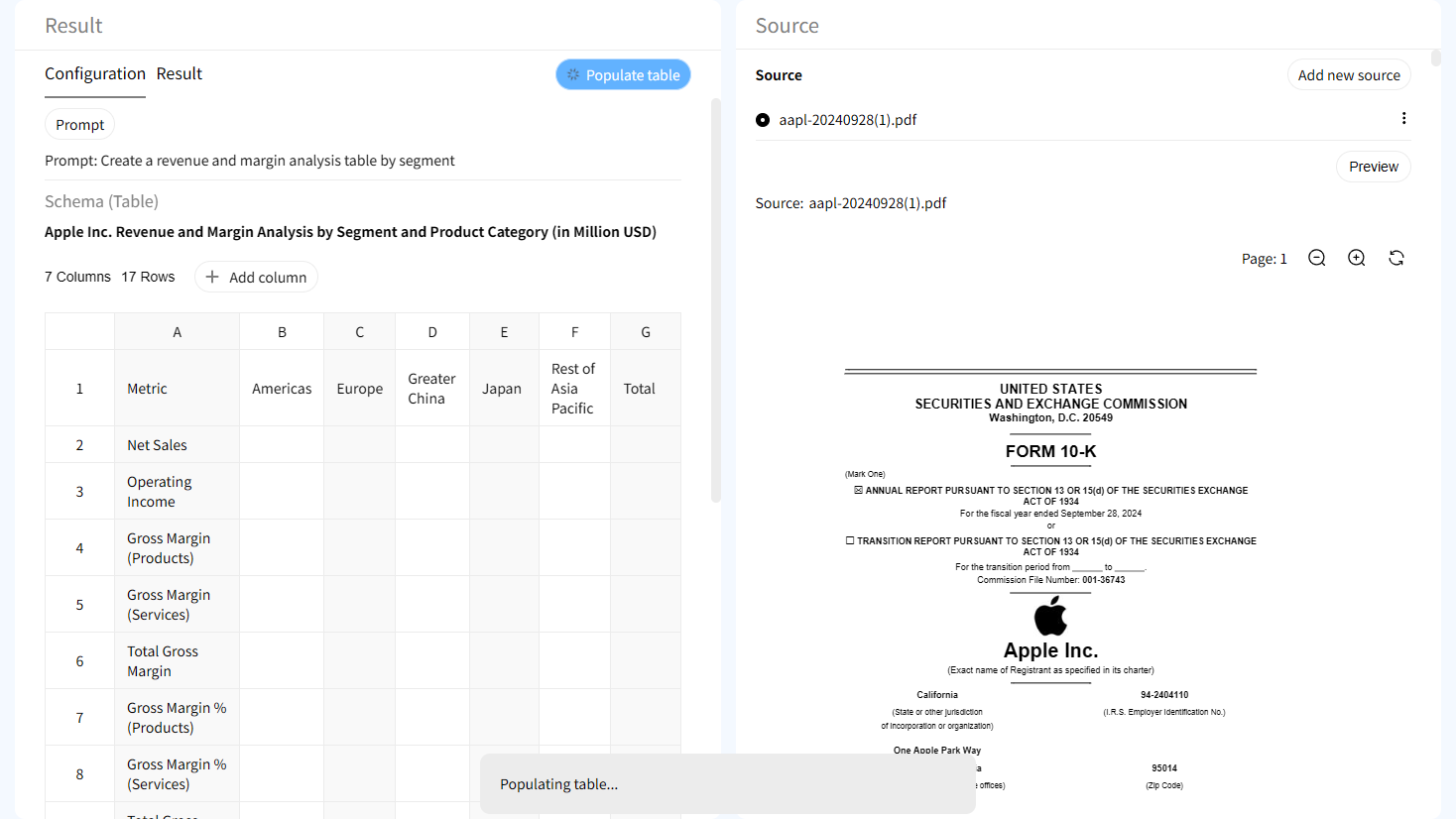
Source verification at the cell level
Each action, owner, and deadline can be traced back to the original transcript segment. Disagree with an assignment? See the exact words and context.

Timestamp-based highlighting (for audio/video)
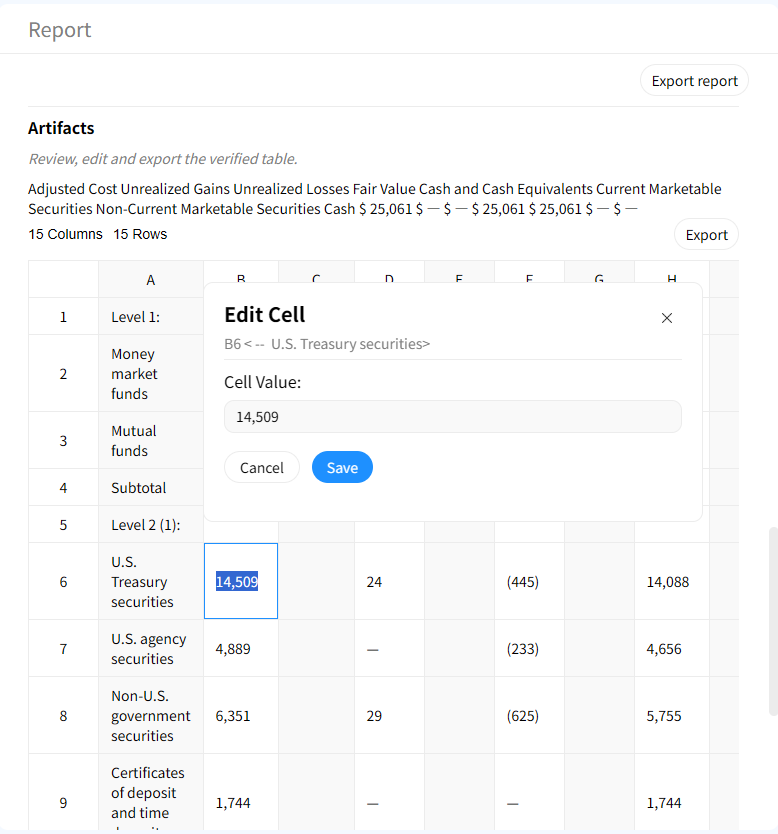
When transcripts include timestamps, click any table cell to jump to the exact moment in the audio/video—perfect for fact-checking and review.

Human-in-the-loop refinement
AI suggests actions, but you remain in control. Add custom columns, merge duplicate tasks, or reassign owners before finalizing the action register.
AI Transcript Action Extractor vs Manual Review
Manual Transcript Review & Tracking
- • Hours of listening/reading to find tasks
- • Prone to missed commitments
- • No traceability to original context
- • Scattered notes, no central register
Gentables AI Action Extractor
- ✓ Actions extracted in minutes
- ✓ Captures every commitment from any transcript
- ✓ Source-grounded verification with timestamps
- ✓ Central, export-ready task table
Who benefits from AI-extracted action items from transcripts?
Project Managers & Team Leads
• Extract tasks from meeting recordings
• Track deliverables from client calls
• Improve follow-through across teams
Researchers & Academics
• Capture action points from interviews
• Track to-dos from research meetings
• Maintain audit trails for grant deliverables
Podcasters & Content Creators
• Extract actionable insights from episodes
• Create show notes with clear tasks
• Identify follow-up topics and guests
Legal & Compliance Professionals
• Verify commitments from deposition transcripts
• Maintain evidence trails from hearings
• Ensure regulatory adherence
Frequently Asked Questions about Transcript Action Items Generator
Stop missing critical action items from your transcripts. Extract them now.