Create Side-by-Side Candidate Comparisons with AI
Compare applicants objectively without manual spreadsheet headaches
Multi-Candidate Aggregation
Upload resumes from multiple applicants in one go. AI automatically extracts, normalizes, and aligns candidate data—skills, years of experience, education, certifications, and more—into a single unified comparison structure.
Smart Dimension Discovery
Instead of manually building rows, AI reads your resumes to identify the most relevant comparison dimensions—whether it's programming languages, leadership experience, industry-specific certifications, or soft skills mentioned in the CV.
Cell-Level Source Tracing
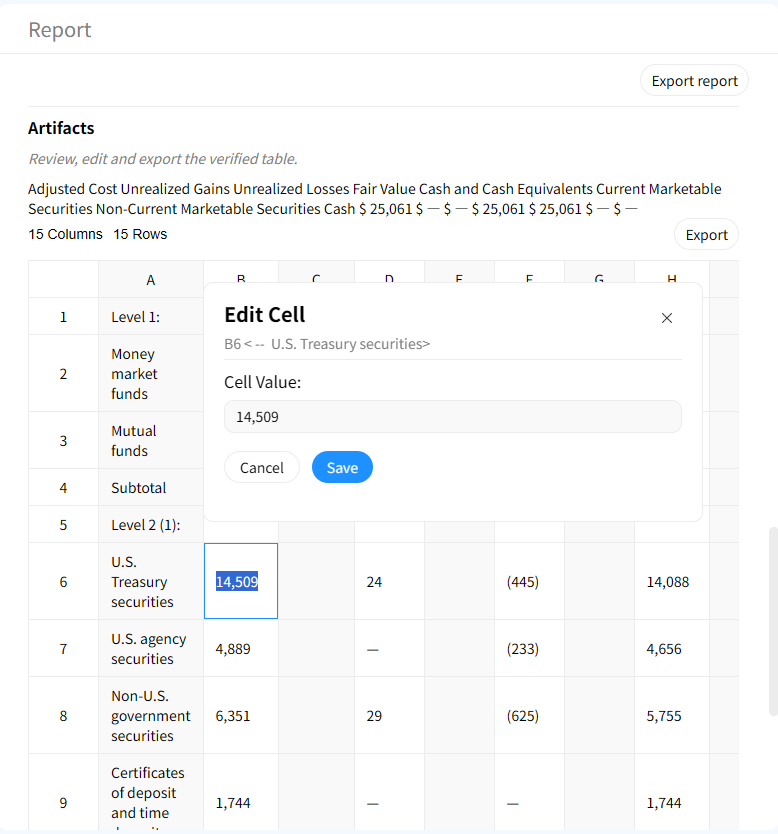
Every detail in the comparison table is linked to its original source. Click any cell to instantly highlight the exact sentence or bullet point in the original resume, ensuring your candidate assessment is fact-based and defensible.
How to generate a candidate comparison matrix with AI
1. Upload candidate documents
Upload resumes, CVs, cover letters, or even interview notes. Gentables supports PDF, Word, and text formats, and can handle multiple files at once.
2. Let AI identify comparison axes
AI scans all documents to find common comparison points—years of experience, education level, key skills, certifications, previous companies, and project achievements.
3. Generate the candidate comparison matrix
AI populates a structured table with candidates as columns and comparison dimensions as rows, filling each cell with the specific data extracted from each resume.
4. Review and verify with source evidence
Hover or click on any data point to pull up the source evidence panel. Validate the AI's extraction against the original resume text instantly.
5. Customize dimensions on the fly
Don't need a specific field? Add, remove, or rename comparison dimensions interactively without re-uploading your documents.
6. Export for hiring team review
Download the clean comparison table to Excel or CSV for sharing with your hiring panel, or save it as part of your interview debrief materials.
Built for efficient talent screening
Multi-document comparison table creation
Handle multiple sources simultaneously. AI aligns disparate data points from different formats into one cohesive comparison table.
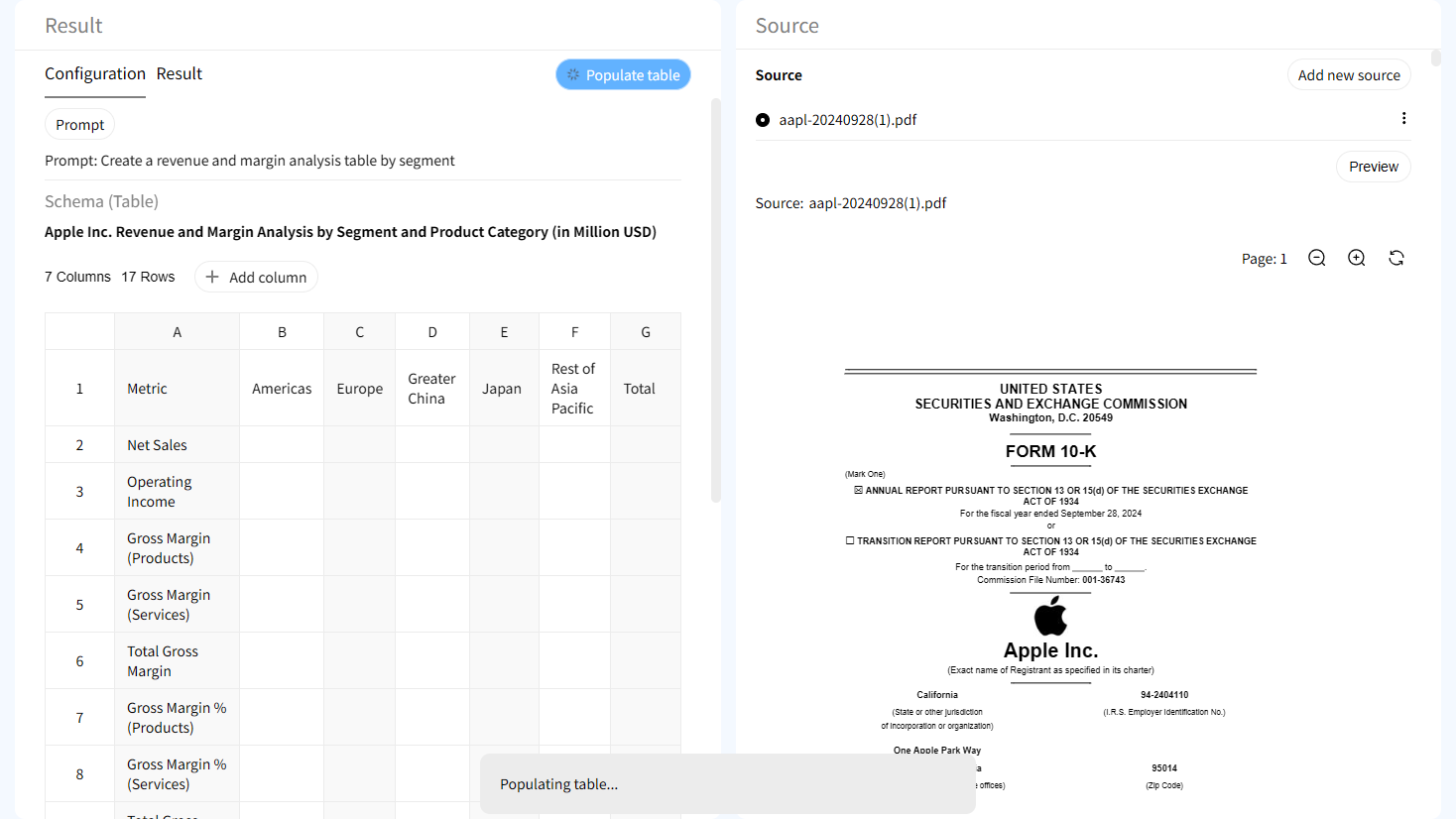
Traceable evidence for every difference
Disagree with a comparison? Click the cell to see the original text. This provides audit-grade transparency for competitive analysis.

Interactive source highlighting
Jump directly from a table cell to the exact location in the source document where the value was found.

Human-in-the-loop workflows
Create traceable tables with evidence trails suitable for investment research, reporting, compliance, and review processes.
AI Candidate Comparison vs Manual Spreadsheet Screening
Manual Spreadsheet Screening
- • Hours of reading and copy-pasting
- • Inconsistent data extraction
- • Lost source references
- • Static, hard to update with new candidates
Gentables AI Candidate Comparison
- ✓ Generates matrix in minutes
- ✓ Auto-extracts & aligns candidate data
- ✓ Cell-level document traceability
- ✓ Interactive & editable on the fly
Who uses AI candidate comparison tables?
HR & Talent Acquisition Teams
• Screen high-volume applications quickly
• Compare shortlisted candidates objectively
• Prepare hiring committee review packets
Hiring Managers & Team Leads
• Evaluate technical skill fit
• Compare leadership potential
• Assess culture fit and soft skills
Recruitment Agencies & Headhunters
• Present candidate profiles to clients
• Benchmark multiple placements
• Build structured candidate reports
Resume candidate comparison FAQs
Start comparing candidates side-by-side