Convert Charts to Excel with AI
How to convert charts to Excel
1. Upload your chart image
Upload a PNG, JPG, screenshot, or chart image containing visual data.
2. AI reads chart structure
Our AI detects axes, values, labels, and structured data automatically.
3. Download as Excel or CSV
Export extracted chart data into structured Excel or CSV format instantly.
AI vs Manual Chart Data Extraction
Stop manual chart transcription
- × Stop reading values from charts manually
- × Stop typing graph data into spreadsheets
- × Stop losing accuracy in manual conversion
Let AI extract chart data instantly
- ✓ High accuracy chart-to-data extraction
- ✓ Works with bar, line, pie, and scatter charts
- ✓ Preserves structure, values, and relationships
Best AI tool for chart to Excel conversion
Accurate chart parsing
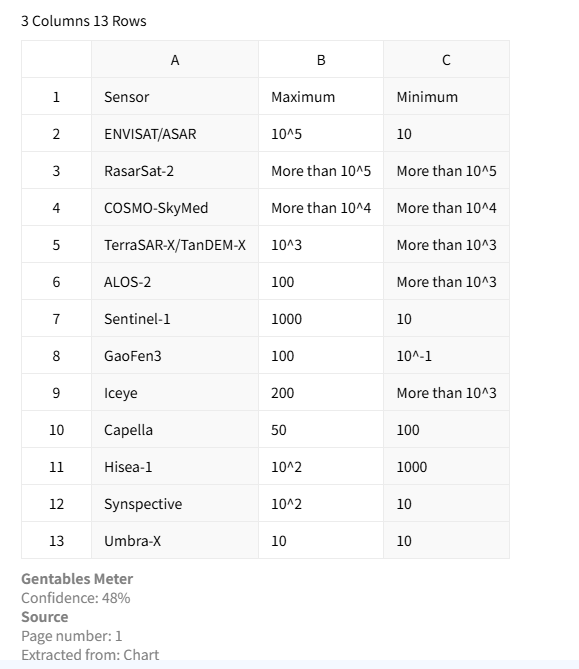
Extract data from charts with high precision, including axes, labels, and values while preserving structure for analysis.
Works with all chart types
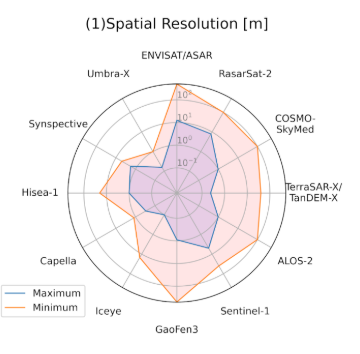
Supports bar charts, line graphs, pie charts, scatter plots, and dashboard screenshots using AI vision models.
Flexible export formats
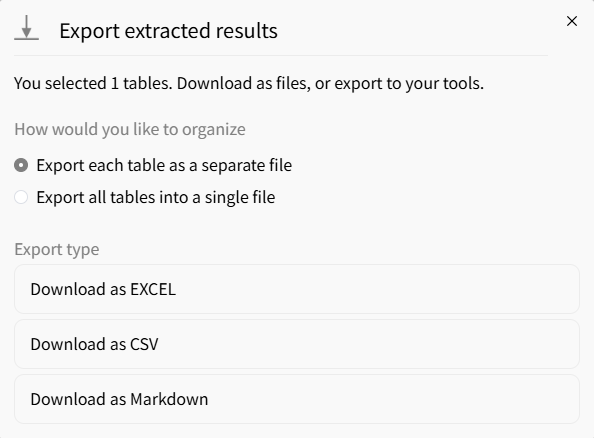
Export extracted chart data into Excel, CSV, or JSON formats for analytics and reporting workflows.
Common use cases
Finance & Analytics
• Extract data from financial charts and dashboards
• Convert reports into structured datasets
• Build datasets for forecasting and modeling
Research & Business
• Extract data from academic graphs and papers
• Standardize visual insights into datasets
• Reuse chart data for analysis
Operations & Reporting
• Convert dashboard screenshots into data
• Extract KPI charts into spreadsheets
• Automate reporting workflows
FAQs about chart to Excel
Extract chart data now



