Convert Webpage Tables to Excel with AI
How to convert webpage table to Excel
1. Paste webpage URL or upload HTML
Enter the webpage link or upload an HTML file containing table data.
2. AI detects and structures tables
Our AI identifies rows, columns, headers, and complex table layouts automatically.
3. Download as Excel file
Export the extracted tables into clean, editable Excel spreadsheets instantly.
AI vs Manual Webpage Table Copying
Stop manually copying website tables
- × Stop copying rows and columns from websites by hand
- × Stop fixing broken formatting after pasting into Excel
- × Stop losing data from large or dynamic HTML tables
Let AI convert webpage tables to Excel
- ✓ High accuracy extraction with preserved formatting
- ✓ Supports complex HTML layouts and merged cells
- ✓ Export directly into clean Excel spreadsheets
Best AI tool for webpage table to Excel conversion
Accurate HTML table extraction
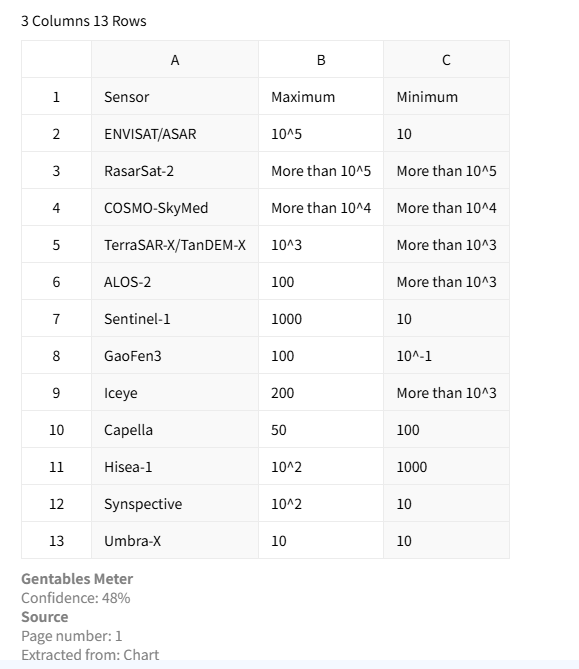
Extract webpage tables with high precision while preserving rows, columns, headers, and formatting. This ensures the resulting Excel files remain clean, structured, and ready for analysis.
Supports complex website tables
AI handles nested tables, merged cells, and dynamic webpage content. It captures structured data accurately and reduces manual cleanup before using Excel.

Direct Excel export
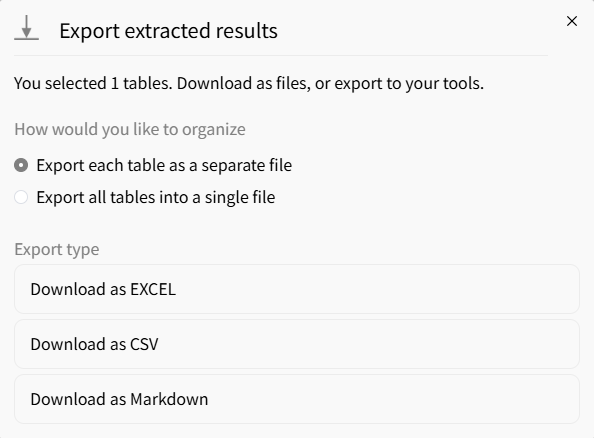
Export extracted tables directly into Excel (.xlsx) format for seamless editing, reporting, and integration with BI tools or internal workflows.
Common use cases
Analysts & Finance
• Convert pricing and market tables from websites into Excel
• Collect financial data from dashboards and reports
• Build structured datasets for forecasting and analysis
Researchers & Consultants
• Extract benchmark tables from research websites
• Collect public datasets from government portals
• Standardize web-based data into Excel spreadsheets
Operations & Compliance
• Extract supplier tables from procurement platforms
• Process compliance tables from regulatory websites
• Automate recurring data collection from web systems
FAQs about webpage table to Excel
Convert webpage tables to Excel now



