OCR Image to Excel with AI
How to convert image to Excel using OCR
1. Upload your image
Upload an image, scanned document, or screenshot containing tables.
2. OCR extracts table structure
Our AI uses OCR to detect rows, columns, and table layout automatically.
3. Download as Excel or CSV
Export extracted tables into structured Excel or CSV format instantly.
OCR vs Manual Table Extraction
Stop manual data entry
- × Stop copying tables from images manually
- × Stop fixing broken formatting after transcription
- × Stop losing structure from scanned documents
Use OCR-powered extraction
- ✓ Accurate table extraction using OCR + AI
- ✓ Works with images, scans, and screenshots
- ✓ Handles complex layouts and merged cells
Best AI OCR Image to Excel tool
High-accuracy OCR extraction
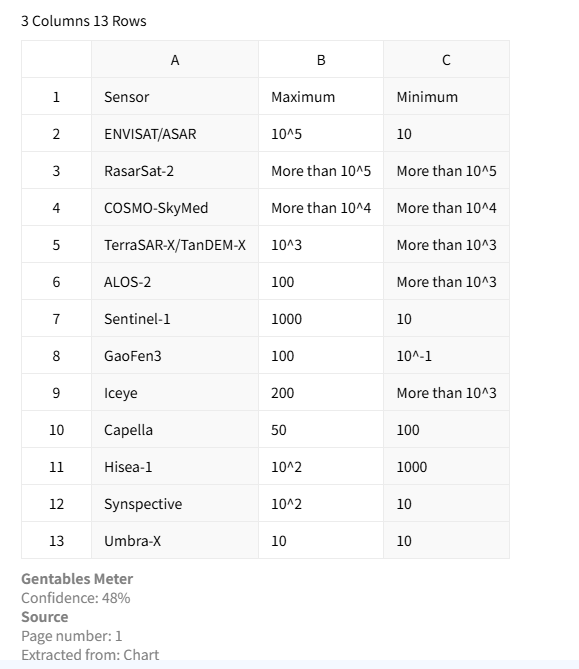
Extract tables from images and scanned documents with OCR while preserving structure such as rows, columns, and headers for clean data output.
Works with all image types
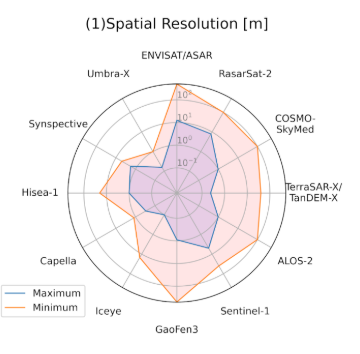
Supports screenshots, scanned PDFs, photos, and other image-based documents using advanced OCR recognition.
Flexible export formats
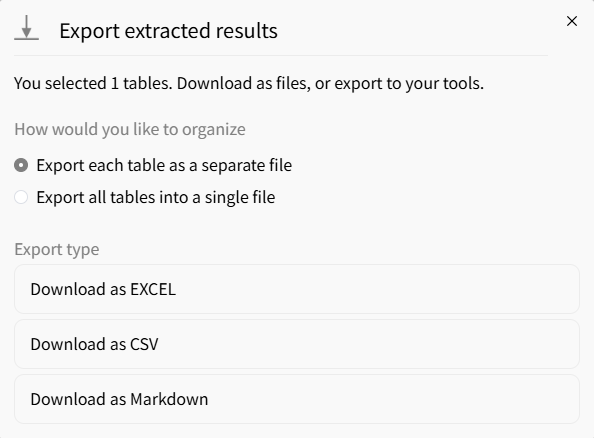
Export extracted tables into Excel, CSV, or JSON formats for easy integration into workflows and analytics tools.
Common use cases
Finance & Accounting
• Extract tables from scanned financial documents
• Convert invoices and reports into Excel data
• Prepare structured datasets for analysis
Research & Business
• Extract tables from research images and papers
• Standardize data from reports and screenshots
• Build reusable structured datasets
Operations & Compliance
• Digitize scanned forms and documents
• Extract tables from compliance reports
• Automate manual data entry workflows
FAQs about OCR image to Excel
Extract tables with OCR now



