Convert PDF to Excel – Formulas & Formatting Intact
How to convert PDF to Excel in 3 steps
1. Upload your PDF
Upload a PDF with tables – even scanned documents or images.
2. AI extracts & structures tables
Our AI detects table boundaries, number formats, and cell merges, then builds a proper Excel grid.
3. Download as .xlsx
Get a clean Excel file. Open in Microsoft Excel, Google Sheets, or LibreOffice – no cleanup needed.
Why use AI to convert PDF to Excel?
Stop fixing broken Excel exports
- × Stop getting numbers as text
- × Stop losing merged cells and formatting
- × Stop manually realigning columns
Get spreadsheet-ready data
- ✓ Excel-native number and date formatting
- ✓ Preserved table structure – pivot table ready
- ✓ Works with scanned PDFs via OCR
PDF to Excel: What makes our converter different
Excel-native formatting, not just CSV renamed
Many 'PDF to Excel' tools actually give you a CSV file with a .xlsx extension. We build real Excel files with proper data types – numbers are numbers, dates are dates, and you can use formulas immediately.
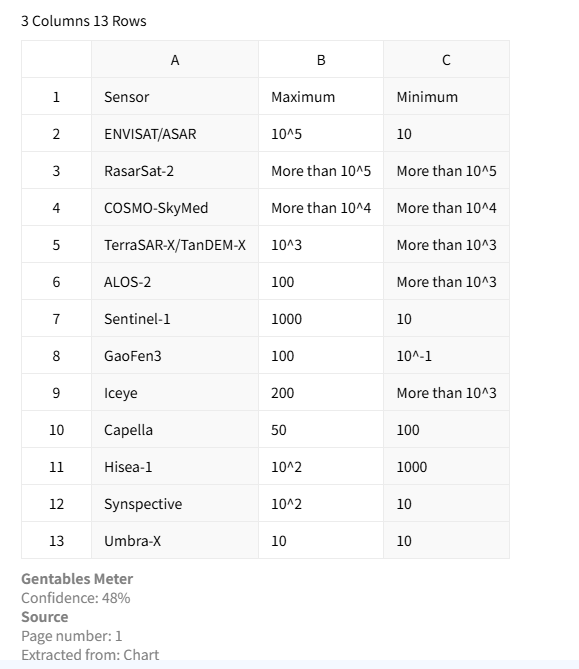
Preserve merged cells & multi-line text
When a PDF has complex table headers or merged cells, most tools flatten them. Our AI detects these structures and recreates them in Excel, so your spreadsheet remains readable and analysis-ready.
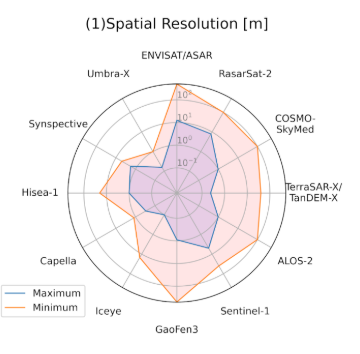
Multi-page PDF to single Excel sheet
Upload a 50-page financial report. We extract all tables and place them in one Excel workbook – each table as a contiguous range, ready for summing, filtering, or charting.
Common use cases
Analysts & Finance
• Extract financial tables from reports and statements
• Convert invoices and billing PDFs into structured data
• Prepare datasets for forecasting, dashboards, and audits
Researchers & Consultants
• Extract tables from research papers and academic PDFs
• Collect and standardize data from reports and case studies
• Transform qualitative documents into structured datasets
Operations & Compliance
• Process regulatory documents and compliance reports
• Extract tables from contracts, forms, and filings
• Automate data entry for internal systems and workflows
FAQs about converting PDF to Excel
Convert PDF Tables to Excel now



