Extract Tables from DOCX with AI
How to extract tables from DOCX
1. Upload your Word document
Upload a DOCX or Word file containing one or more tables.
2. AI detects tables automatically
Our AI identifies rows, columns, headers, and table structure with high accuracy.
3. Download as Excel or CSV
Export extracted tables into structured Excel or CSV format instantly.
AI vs Traditional DOCX Table Extraction
Stop manually copying tables
- × Stop copying rows and columns by hand
- × Stop fixing broken formatting after extraction
- × Stop losing data from complex Word layouts
Let AI extract tables
- ✓ High accuracy table extraction with preserved formatting
- ✓ Supports complex DOCX layouts and merged cells
- ✓ Handles multiple tables and multi-line rows
Best AI tool for DOCX table extraction
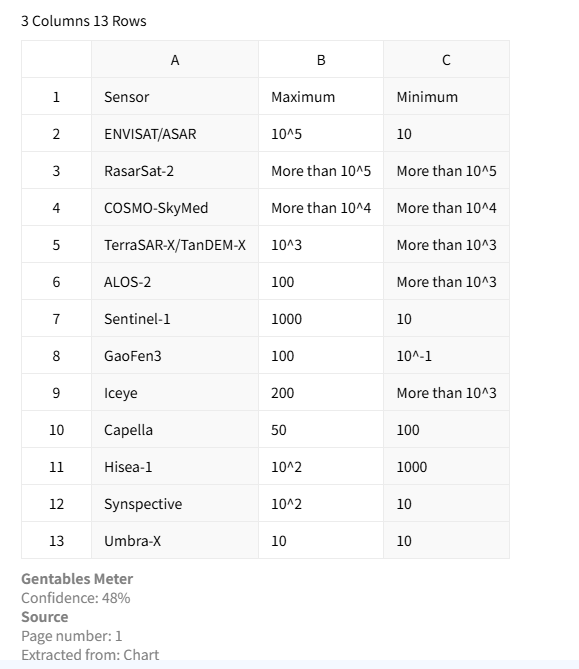
Accurate table extraction
Extract tables from DOCX files with high precision while preserving rows, columns, headers, and formatting. This keeps your structured data reliable and ready for analysis.
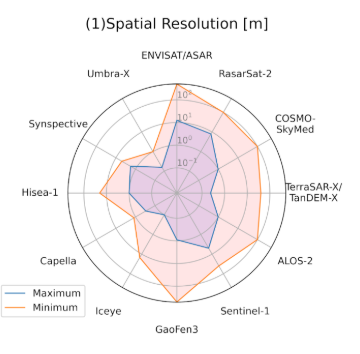
Handles complex Word layouts
Extract tables from multi-column documents, nested layouts, and heavily formatted Word reports without losing structure.
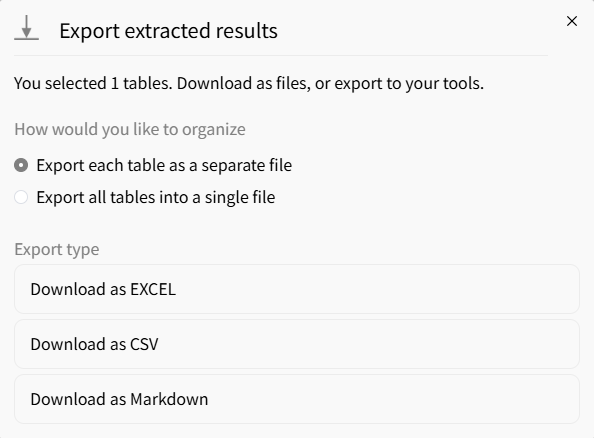
Export to multiple formats
Export extracted tables into Excel, CSV, or JSON for flexible downstream analysis, reporting, and automation.
Common use cases
Business & Finance
• Extract tables from reports and business documents
• Convert proposal and invoice tables into structured data
• Prepare datasets for dashboards and analysis
Researchers & Consultants
• Extract tables from technical documents and papers
• Standardize data from Word reports and case studies
• Save hours of manual copy-paste
Compliance & Legal
• Process policy documents and legal filings
• Extract structured data from contracts
• Automate document-based workflows
FAQs about extracting tables from DOCX
Extract tables from your DOCX now



