Extract Tables from Scanned PDF with AI OCR
How to extract tables from scanned PDF
1. Upload your scanned PDF
Upload a scanned PDF, image-based PDF, or document containing tables.
2. AI OCR detects tables automatically
Our OCR engine recognizes text, rows, columns, and table structures with high accuracy.
3. Download as Excel or CSV
Export extracted tables into clean, structured Excel or CSV files instantly.
AI OCR vs Manual Scanned PDF Table Extraction
Stop rebuilding scanned tables manually
- × Stop typing rows and columns by hand
- × Stop fixing broken layouts from poor OCR tools
- × Stop losing data from image-based PDFs and scanned reports
Let AI OCR extract tables
- ✓ High accuracy OCR for scanned and image-based PDFs
- ✓ Preserves rows, columns, headers, and formatting
- ✓ Handles complex layouts, merged cells, and multi-page reports
Best AI tool for extracting tables from scanned PDFs
OCR-powered table recognition
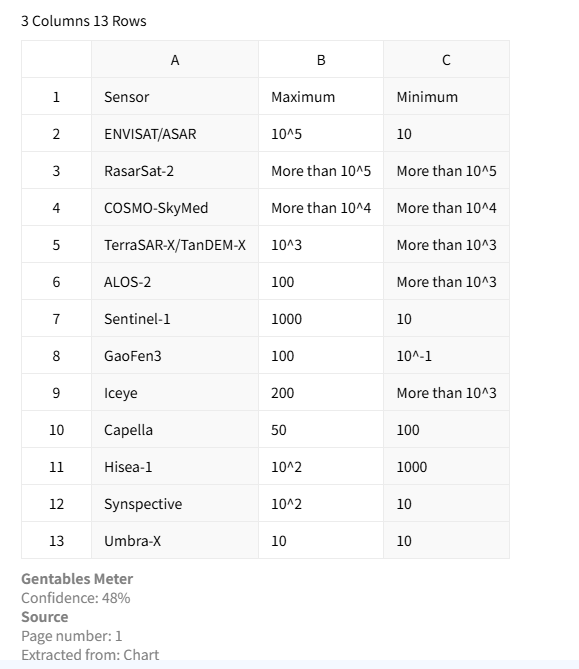
Built-in OCR accurately recognizes text from scanned PDFs and reconstructs complete table structures. Rows, columns, and headers are preserved to minimize manual correction. This makes extraction reliable even for image-based files and printed reports.
Supports complex scanned layouts
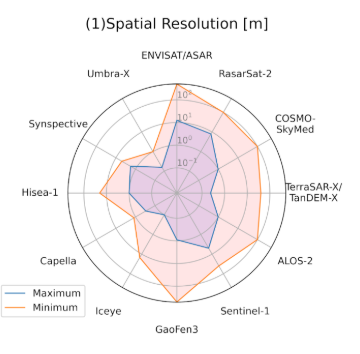
The AI handles merged cells, multi-line rows, and irregular table layouts commonly found in scanned reports and legacy documents. It improves extraction quality where traditional OCR tools often fail. This is especially useful for financial and compliance documents.
Export to Excel, CSV, and more
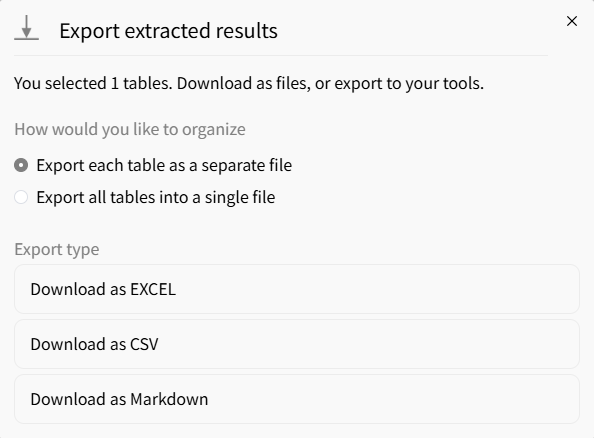
Download extracted tables in Excel, CSV, or JSON formats for easy reuse. This supports analytics workflows, spreadsheet editing, and automation pipelines. Your scanned PDF data becomes immediately usable and searchable.
Common use cases
Finance & Accounting
• Extract financial tables from scanned reports and statements
• Convert invoices and billing PDFs into structured spreadsheets
• Prepare data for audits, dashboards, and reconciliation
Research & Consulting
• Extract tables from scanned research papers and reports
• Standardize tabular data from archived documents
• Prepare structured datasets for analysis and modeling
Operations & Compliance
• Process scanned contracts, forms, and filings
• Extract tables from compliance reports and regulatory PDFs
• Automate manual data entry from legacy scanned documents
FAQs about extracting tables from scanned PDF
Extract tables from your scanned PDF now



