Extract Tables from Your Notes with AI
How to extract tables from notes in 3 steps
1. Upload your note file
Export or upload notes from Notion, Obsidian, NotebookLM, OneNote, or any plain text/markdown file containing tables.
2. AI detects all tables
Our AI scans your document for markdown tables, HTML tables, and other structured tabular data. Preserves original table structure.
3. Download extracted tables
Export all detected tables as Excel (multiple sheets) or CSV (one file per table) for analysis or archiving.
AI vs Manual Table Extraction from Notes
Stop hunting and copying tables manually
- × Stop scrolling through long meeting notes to find tables
- × Stop copying each table cell into spreadsheets by hand
- × Stop worrying about broken formatting during copy-paste
Let AI extract tables instantly
- ✓ Automatically finds every table in your note files
- ✓ Preserves original row/column structure and merged cells
- ✓ Works with markdown, HTML, and text-based tables
Best AI tool for extracting tables from notes
Extracts tables from all major note formats
Supports markdown tables (Notion exports, Obsidian notes), HTML tables (OneNote, Evernote exports), and plain text delimited tables. Works with .md, .txt, .html, and .docx files.
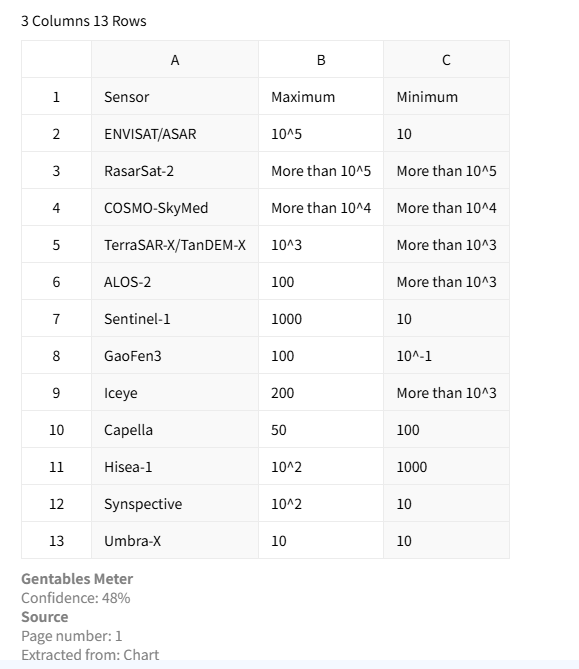
Preserves original table structure
No AI reinterpretation — we extract exactly what's in your notes. Keeps merged cells, alignment, headers, and footers intact. Perfect for meeting minutes with pre-formatted tables.
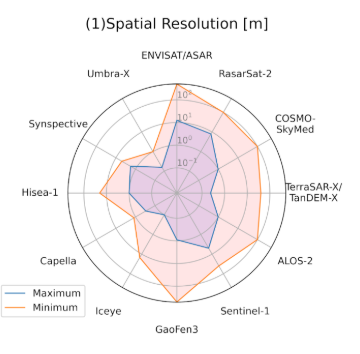
Export to Excel or CSV
Download tables directly into Excel workbooks (one table per sheet) or as separate CSV files for database import or further analysis.
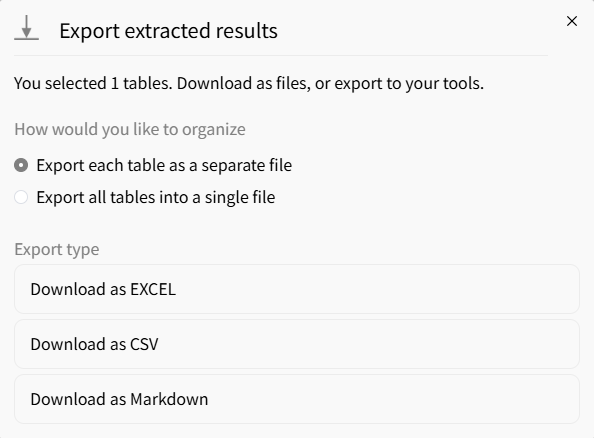
Common note table extraction use cases
Meeting Notes & Minutes
• Extract decision tables, action logs, and RACI charts
• Pull budget tables from weekly review notes
• Export attendance or voting records from minutes
Personal Knowledge Management
• Extract comparison tables from Obsidian vaults
• Pull database views exported from Notion as markdown
• Convert research notes with embedded tables into data
Team Collaboration Hubs
• Extract project timeline tables from Confluence exports
• Pull feature comparison tables from NotebookLM summaries
• Export product spec tables from OneNote notebooks
FAQs about extracting tables from notes
Extract all tables from your notes now